


Overview
Every few months, I like to develop and release a very small feature in the product. And when I say feature, it can be as little as a const change or a typo fix. I do it because I feel I need to stay close to the weeds to understand why development is such a complicated and often long process. Usually, something we think is small, and the developers say will take a couple of hours, ends up taking a day or two. I want to embrace the process myself to really understand it.
This is my detailed walkthrough of a “tiny” feature I recently developed and released.
Ideation
As part of my work at Port, my team developed and maintains the Port MCP server. One aspect of an MCP server that is often overlooked is the MCP prompts. A prompt helps users discover and work with your MCP server and its tools in a more structured way.
Recently, the team added static prompts, which are prompts that all users get regardless of their configuration. I thought we could a great use of them. One pain point we had was that customers wanted to use the MCP server, but didn’t really know how. The feature idea was to add a prompt that helps them discover, for their specific setup and organization, what Port AI and the Port MCP server could help them with.
I had already built a prompt that worked pretty well through Claude, and when the team released support for static prompts in the MCP server, I felt it was the right time to contribute my new prompt.
Setting up the IDE
The first step was setting up my IDE. I had to find the relevant repository, clone it to my desktop, and figure out what is the right service (we have a monorepo setup). I opened Cursor and chatted a bit with the Opus 4.5 model to understand the process of adding a custom prompt and asked it to generate some basic guidelines.
Then, I tried to check out a new branch, and it immediately failed because my branch name didn’t match the standards. With Cursor’s help, I found what was missing. I also had to open a task that this branch would correlate with. I went to our task management tool, which in our case is Port, opened a new task, and then checked out the branch again. This time it worked, and I had a branch ready to start working on.
Coding
Since I had already done some pre-work with Opus, I pasted my prompt and let the Composer 1 model from Cursor generate the changes. The changes made sense, and I asked several follow-up questions about why it chose one thing and not another, just to make sure I understood the implementation and that it didn’t hallucinate anything.
I then used Sonet 4.5 to double-check the code, see if it could improve anything, and confirm that the implementation was consistent with my contribution. At this point, I also noticed that tests weren’t written for the new prompt, even though we had tests for the existing ones. I asked it to create tests as well.
Unit tests
When I looked at the tests, I noticed something strange. Prompts can have dynamic arguments, which justifies extensive tests. Mine was a static prompt, so it didn’t make sense to have eight different unit tests. I identified what I thought was crucial to test and asked again to simplify the tests.
At this point, I went back to Opus 4.5, since I needed more critical thinking and wanted to make sure it didn’t just satisfy me without checking the logic.
E2E tests
This was probably the hardest part. If you ask developers how they test, you’ll probably get different answers from each one. Some already have their local setup and want to test everything to make sure it behaves exactly how they expect. Others trust the code and assume that if they change something static or hard-coded, it will just work. Some run commands and check through the CLI that things work technically.
My personal preference is to see the actual production experience that users will see, just locally. That was a major challenge. I had to ramp up on how to spin up the local environment. I sat with one engineer for an hour and a half, another engineer for 30 minutes, and in between ran something like 20 or 30 different commands until I got something to work.
Then I failed because of permissions. It turns out I needed specific AWS roles. I won’t expand too much, but it took more than a day to collaborate with the team, get the permissions, and refresh my AWS profile. Even then, the specific services I needed still didn’t work. At some point, I gave up and relied on a local environment that one of my engineers had. He checked out my branch, we tested it together, and once we saw it worked, I finally had the confidence to proceed.
Pull request
This was the point where I moved from local development to collaboration. I opened the pull request and worked through the template and requirements, and then tried to find someone who could review my code.
Before that, we already had an AI coding assistant set up, Codex from OpenAI, which reviewed my PR and gave one comment that made sense. I consulted again with Opus 4.5, it confirmed the comment, and I fixed it.
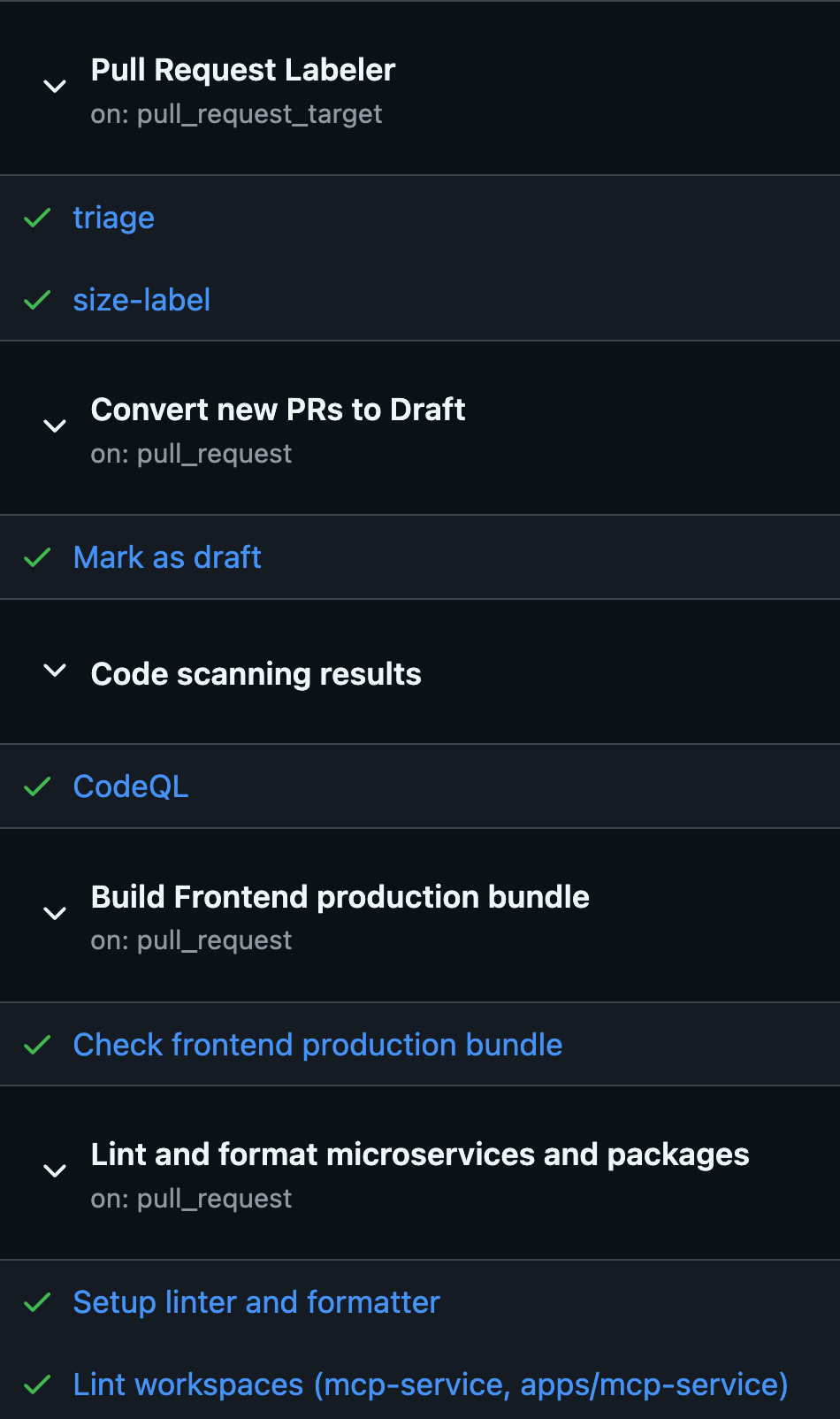
I pushed the changes and waited for all the checks to run. This took around 20 minutes. After that, I saw several failures. One was code formatting, which asked me to run another command to fix it. I did this a couple of times until most errors were cleared. But then about 40% of the checks failed with no clear explanation.
I asked around and was told to re-run the checks, which we sometimes call flaky checks. This time it passed, and the PR was almost ready to merge.
Merge and deploy
I got the final approval from the team and saw the scary green button saying “squash and merge”. We have an internal policy that you merge and immediately deploy within the allowed timeframes.
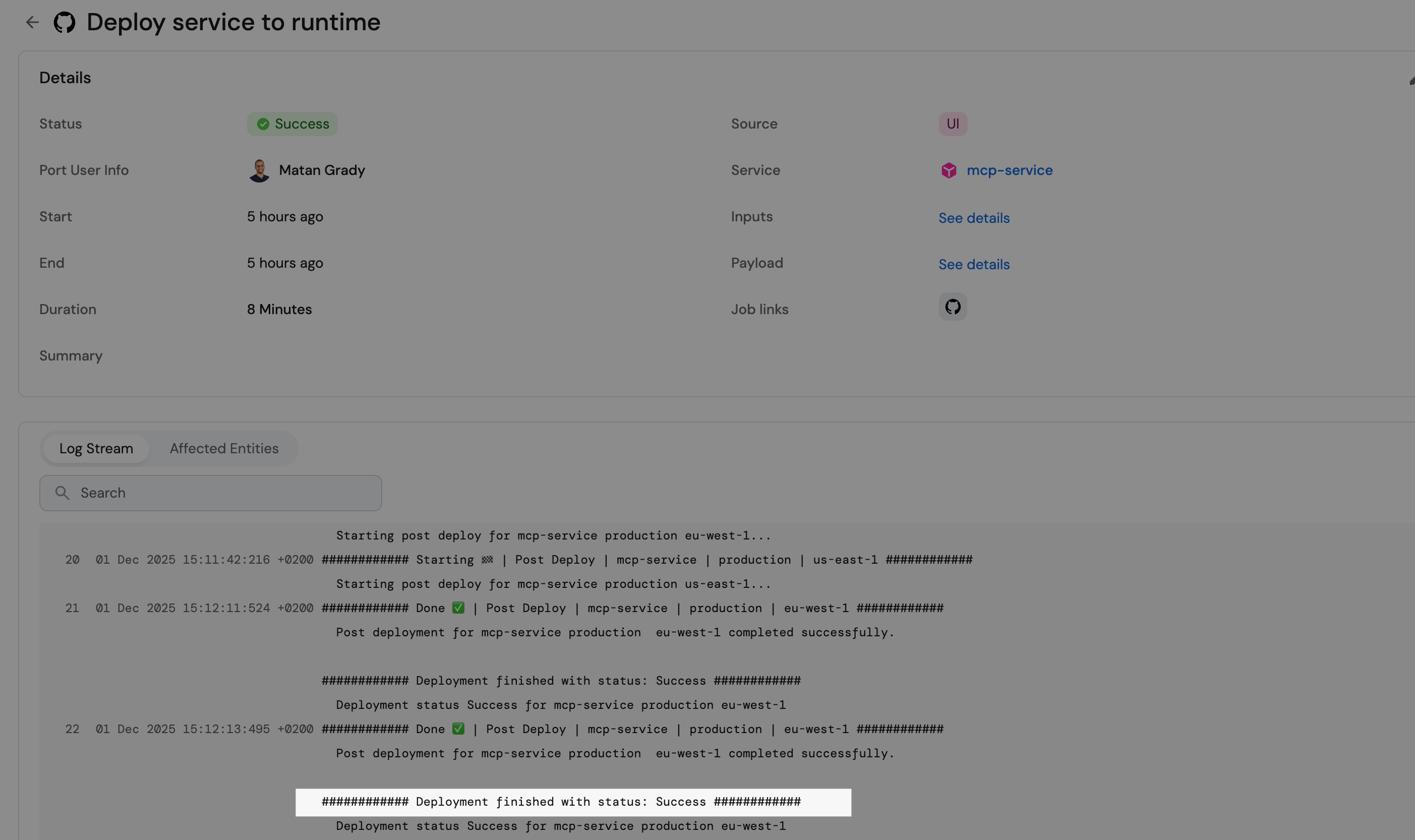
I made sure I could do it, merged, and deployed the code. The deployment took another 10 minutes.
At this stage, I just sat and waited to see if the deployment actually worked. It was a bit scary because a failed deployment might mean that the Port MCP server wouldn’t be available to customers. Now, I know it shouldn’t have happened since it passed all the gates, but I still didn’t feel comfortable. Once I saw it finished and verified that my new feature worked, I was relieved.
It’s in production
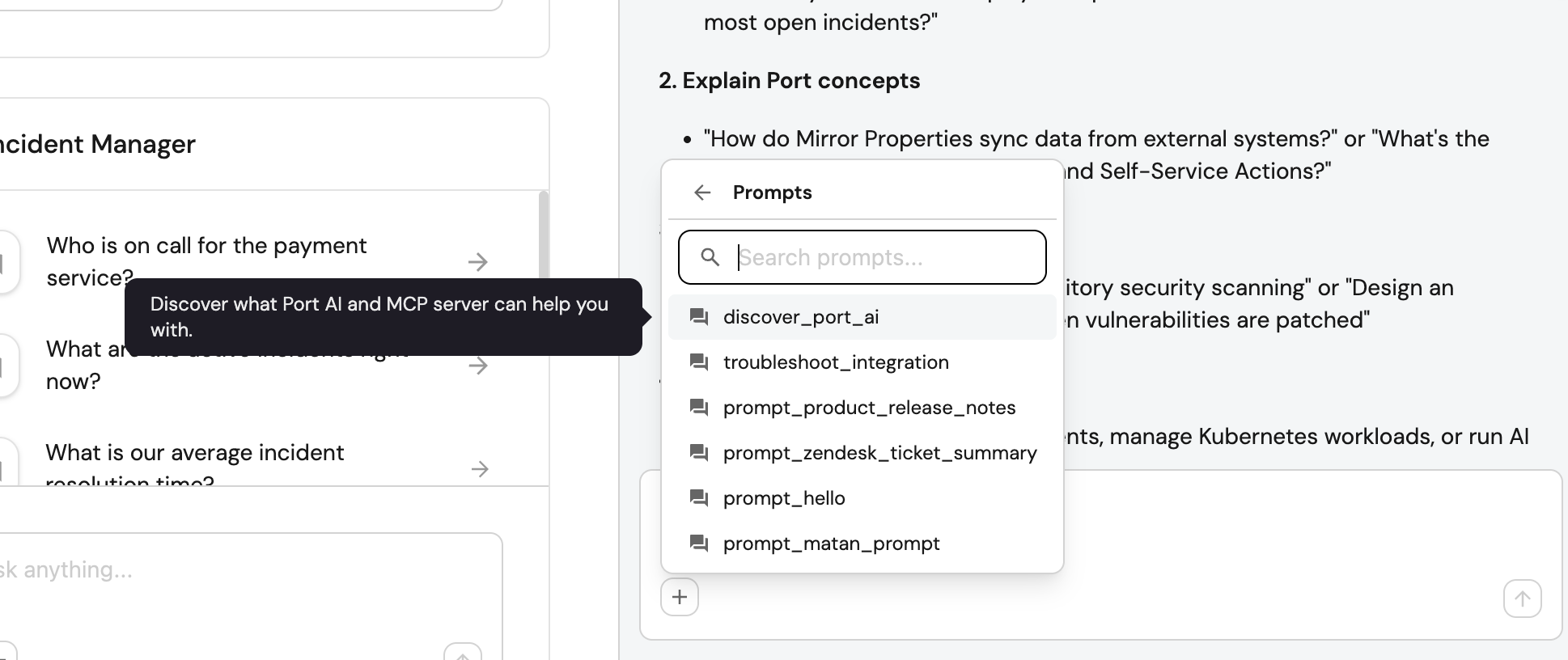
I opened Claude and Cursor, used the new prompt in each, and saw how both delivered exactly what I hoped for. I wrote the release notes quickly and shared them in our internal Slack channel so everyone knew about it and could start spreading the word.
Conclusions
Every few months, I develop something small in the product to feel the same friction developers live with. It helps me empathize with my team and identify bottlenecks. It also helps me imagine how agentic flows work around us and understand where I struggle, because that’s where an AI agent would struggle too.
It was a great experience, and I recommend it to every product manager. It helps us grow in empathy and understand that when engineers say a small task will take a few hours or maybe a day, it sometimes ends up taking two or three days, even if it’s small. Not because the feature is big, but because delivering a new capability to production is a complicated task.
This is a nice post. It would be great if you can tell how to test a prompt for an MCP server, which tools to use.